Physical Address
304 North Cardinal St.
Dorchester Center, MA 02124
Physical Address
304 North Cardinal St.
Dorchester Center, MA 02124

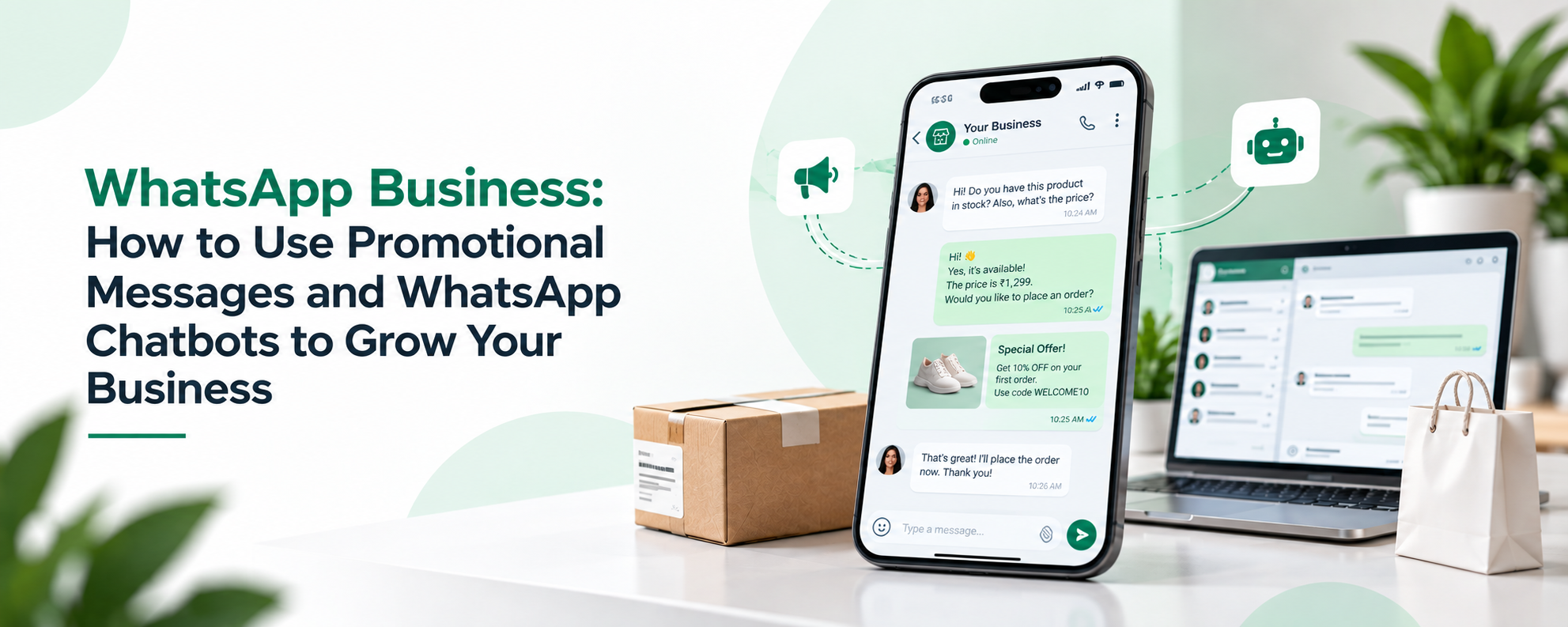
Customer expectations have changed. People want quick answers when they contact a business, whether they are asking about a product, service, price, order, appointment, or availability.
For small and growing businesses, managing every customer conversation manually on WhatsApp can become time-consuming. As the number of enquiries increases, delayed replies and missed messages can affect the overall customer experience.
This is where WhatsApp Business automation can help.
By combining WhatsApp Business with automated replies, chatbots, and the WhatsApp Business API, businesses can respond faster while allowing their support teams to focus on conversations that require personal attention.
WhatsApp provides a direct and familiar communication channel between businesses and customers.
Instead of asking customers to call or email, businesses can communicate with them through WhatsApp for common support requirements such as:
For a small business with a limited number of conversations, the WhatsApp Business App may be sufficient.
However, when customer messages increase, manually answering every question can become difficult.
Imagine a business receiving hundreds of customer messages every day.
Many of those messages may contain similar questions:
“What is the price?”
“Is this product available?”
“How can I place an order?”
“What are your working hours?”
“Can I book an appointment?”
When employees have to answer the same questions repeatedly, valuable time is spent on repetitive communication.
There is also a higher chance of:
Automation can reduce some of this repetitive work.
WhatsApp Business automation allows businesses to use predefined workflows or automated responses to handle certain customer interactions.
For example, when a customer sends a message, an automated system can immediately provide an initial response.
A simple workflow could look like this:
Customer: Hello, I want to know your services.
Automated Reply: Hi! Welcome to our business. Please select an option:
1. Services
2. Pricing
3. Book an Appointment
4. Talk to Our Team
The customer can then choose an option and continue the conversation.
This can make the initial support experience much faster.
A WhatsApp chatbot can take automation a step further by guiding customers through structured conversations.
Instead of only sending one automatic reply, a chatbot can ask questions, provide information, collect details, and direct the customer to the appropriate next step.
For example:
Customer: I want to book a service.
Chatbot: Sure. Which service are you interested in?
Customer: Home installation.
Chatbot: What date would you prefer?
The chatbot can collect basic information before the conversation reaches a human support or sales representative.
This can help businesses reduce repetitive work and improve response speed.
1. Provide Faster First Responses
Customers do not always want to wait several hours for a basic answer.
Automated responses can provide an immediate first response when a customer starts a conversation.
2. Answer Frequently Asked Questions
Businesses can automate answers to common questions about products, services, timings, pricing, locations, and other frequently requested information.
3. Collect Customer Information
A chatbot can ask customers for basic details before transferring the conversation to a team member.
This can help the support team understand the customer’s requirement before starting the conversation.
4. Organize Customer Requests
Different customer questions can be directed toward different workflows.
For example:
Sales → Product Enquiry
Support → Existing Customer Issue
Appointments → Booking Request
This can make customer communication more organized.
5. Connect Customers With Human Support
Automation should not make customers feel trapped inside a chatbot.
For complex questions, businesses should provide a clear path to human assistance.
WhatsApp’s Business Messaging Policy specifically allows automated responses during the applicable customer service window but requires a clear and direct escalation path, such as transferring to a human agent, phone, email, web support, or another appropriate support channel.
The WhatsApp Business API becomes more relevant when a business needs more scalable customer communication and automation.
You may want to consider an API-based setup when:
The WhatsApp Business Platform includes WhatsApp Business APIs, including Cloud API hosted by Meta.
The right choice depends on the size of your operation and how you use WhatsApp.
WhatsApp does not have to be used only for customer support.
Once a customer has interacted with your business, WhatsApp can also support other customer communication activities, such as relevant product updates, follow-ups, and marketing communication where permitted.
However, businesses should not treat customer support conversations as permission to send unlimited promotional messages.
WhatsApp requires businesses to have appropriate customer opt-in before contacting people and to respect requests to stop receiving communications.
This makes permission, relevance, and message quality important parts of any WhatsApp strategy.
As customer communication grows, businesses need more than just a messaging app.
ConnectFlow360 helps businesses build a more scalable WhatsApp communication process with features designed for business messaging.
Businesses can use ConnectFlow360 for capabilities such as:
For businesses looking to improve customer communication, automation and messaging efficiency, ConnectFlow360 can help bring different WhatsApp communication activities into a more structured workflow.
Automation works best when it improves the customer experience rather than simply reducing human involvement.
Keep these practices in mind:
Keep Automated Replies Simple
Customers should understand the available options quickly.
Give Clear Choices
Use short and easy-to-understand options whenever possible.
Provide Human Support
Customers should have a way to reach a real person when automation cannot solve their problem.
Keep Information Updated
Incorrect automated information can create more problems than delayed replies.
Respect Customer Preferences
Businesses should respect opt-out requests and avoid unwanted communication.
Track Response and Customer Experience
Look at meaningful indicators such as response time, unresolved conversations, customer enquiries, and successful support outcomes.
Can WhatsApp Business be used for customer support?
Yes. Businesses can use WhatsApp Business to answer customer questions, provide information, handle enquiries, and communicate with customers directly.
What is a WhatsApp chatbot?
A WhatsApp chatbot is an automated system that can communicate with customers, answer common questions, collect information, and guide customers through predefined workflows.
Can WhatsApp automation replace customer support employees?
Not completely. Automation is best for repetitive and straightforward interactions. Complex issues should be transferred to a human support representative.
When should a business use WhatsApp Business API?
Businesses can consider the API when they need more scalable messaging, automation, integrations, chatbots, or structured customer communication.
Is WhatsApp automation allowed?
Yes, automation is supported in the WhatsApp Business Platform, but businesses must follow applicable WhatsApp policies. Automated responses should also have
🌐 Visit Website
💬 WhatsApp
📸 Instagram
📘 Facebook